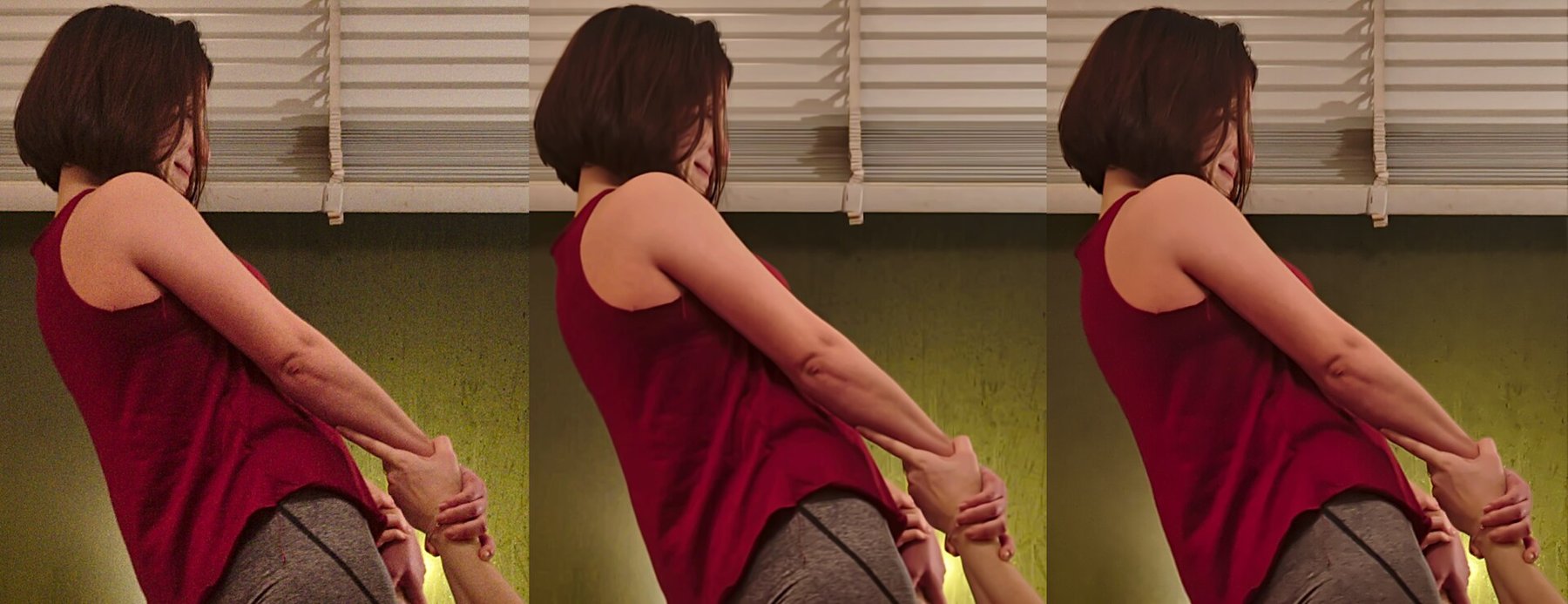
Noise reduction must distinguish unwanted fluctuations from genuine fine information. That separation is not always clear. An even sky is easier to smooth than fur or grass. Applying the same strong setting everywhere can produce a clean-looking picture that has lost precisely the textures that made it interesting.
Colour speckles and brightness grain
Enlarge a dark area that is not completely black. Coloured dots or blotches suggest colour noise. Light and dark fluctuations without conspicuous colour look more like grain. Many editors provide separate controls for these components. Start with the distracting component instead of increasing every slider together.
Check at least three places: a smooth surface, a fine texture and a distinct edge. A setting that improves the sky may smear eyelashes or simplify fabric patterns. Choose a particular detail you want to preserve and watch it as you adjust.
Coordinate the surrounding adjustments
Strong shadow lifting makes existing noise more visible. First decide approximately how bright the photograph should become. Otherwise, you judge noise reduction on a version whose dark areas will later look quite different. Strong sharpening can likewise emphasize the remaining grain again.
Alternate between a view around one hundred percent and the intended output size. The first reveals artefacts; the second shows their practical importance. A small album photograph does not require removal of every grain. A large wall print with an even sky presents a different challenge.
Inspect automatic processing critically
Automatic or AI-assisted methods can produce convincing results, but do not guarantee accurate detail. Inspect lettering, eyes, fur and repeating patterns. Strange letters or changing fabric texture matter more than whether a surface looks exceptionally smooth. Keep a version from before this operation.
For documentary use, processing should not claim details that were not reliably visible in the capture. A plate rendered as readable is not automatically a correctly reconstructed registration plate. Even for ordinary memories, it makes sense to reduce improvements that look artificial.
Compare sky and fur in a night photograph
A dog against a dark sky combines two difficult surfaces. The sky may reasonably look smooth, while tufts of fur should retain their direction. First choose noise reduction that does not visibly smear the fur. If the sky remains distractingly blotchy, additional local treatment may work better than stronger global smoothing.
Compare the ear outline and transitions between light and dark fur. Do separate strands survive, or do they become continuous painted patches? Check whether similar patterns repeat in different places. Automatic processing can produce convincing-looking repeated structures that do not match the recorded fur.
Create two finished exports at the required size: one restrained and one more heavily smoothed. Compare them after a break. A little even grain is often less conspicuous than inconsistent texture between head, body and background. Judge not only the calmest patch, but whether the dog as a whole remains believable.
Work selectively and moderately
If the editor supports local adjustments, a smooth dark wall can receive more smoothing than the face in front of it. The mask needs unobtrusive transitions. A completely noiseless head beside a grainy neck looks inconsistent.
Stop when the noise no longer distracts from the subject. The aim is a believable, useful photograph rather than a textureless surface. For the next capture, more usable light often helps more than increasingly aggressive processing afterwards.