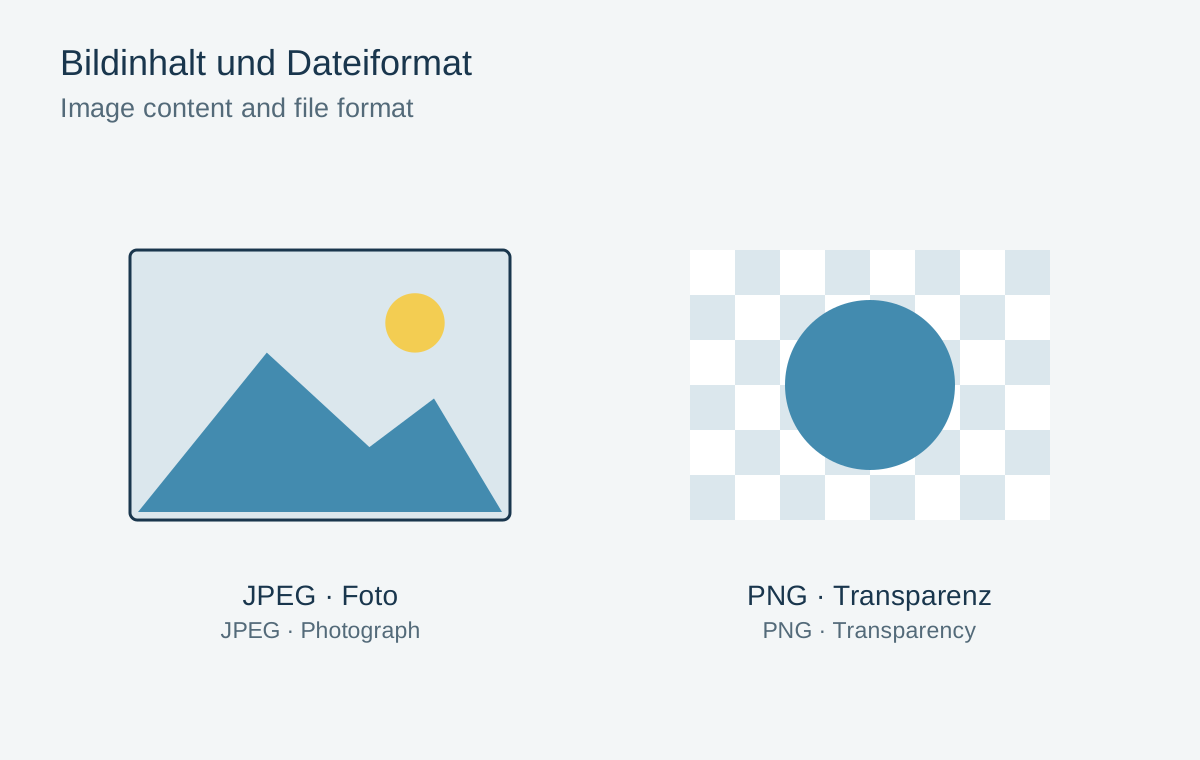
JPEG and PNG both store images, but suit different tasks. A photograph with many subtle colour variations can usually be delivered efficiently as JPEG. A graphic containing lettering, flat areas or a transparent background may benefit from PNG. The larger file is not automatically the better picture, and the smaller one is not automatically unusable.
Treat a photograph and a logo differently
JPEG normally uses lossy compression. At suitable quality, it works well for ordinary photographs. Hard lettering edges and large flat-colour areas may instead reveal conspicuous damage under strong compression. A heavily compressed JPEG logo can therefore acquire untidy edges.
PNG compresses its stored pixel values losslessly and supports transparency. This often suits an isolated icon or screenshot. A complex photograph can require substantially more storage as PNG without providing a visible advantage at its intended small display size.
Test transparency properly
If an object should appear without a rectangular background, export a format with alpha transparency and test it against both light and dark surfaces. A white fringe may indicate an unsuitable cut-out transition. A white rectangle is not transparency, even if it initially disappears on a white website.
JPEG does not provide ordinary alpha transparency. Exporting requires a background. Choose one appropriate to the destination or use another suitable format. Renaming the filename extension alone does not convert the content.
Mixed content sometimes requires a comparison. A photographed object with small lettering overlaid may develop visible text artefacts in JPEG. Test both formats at the same size. On a website, placing the lettering separately as text often works better and keeps it readable on small screens.
Separate delivery from the working file
Neither a small JPEG export nor a flattened PNG automatically replaces an editable project containing layers. Preserve the source and export for the recipient. A print laboratory may request different formats from a web system; its specifications take precedence over a general preference.
Compare actual files at the same pixel dimensions. Check image clarity, lettering edges, colour and file size. Saving an already damaged JPEG as PNG does not restore detail: it merely stores the existing damaged pixels without further lossy compression.