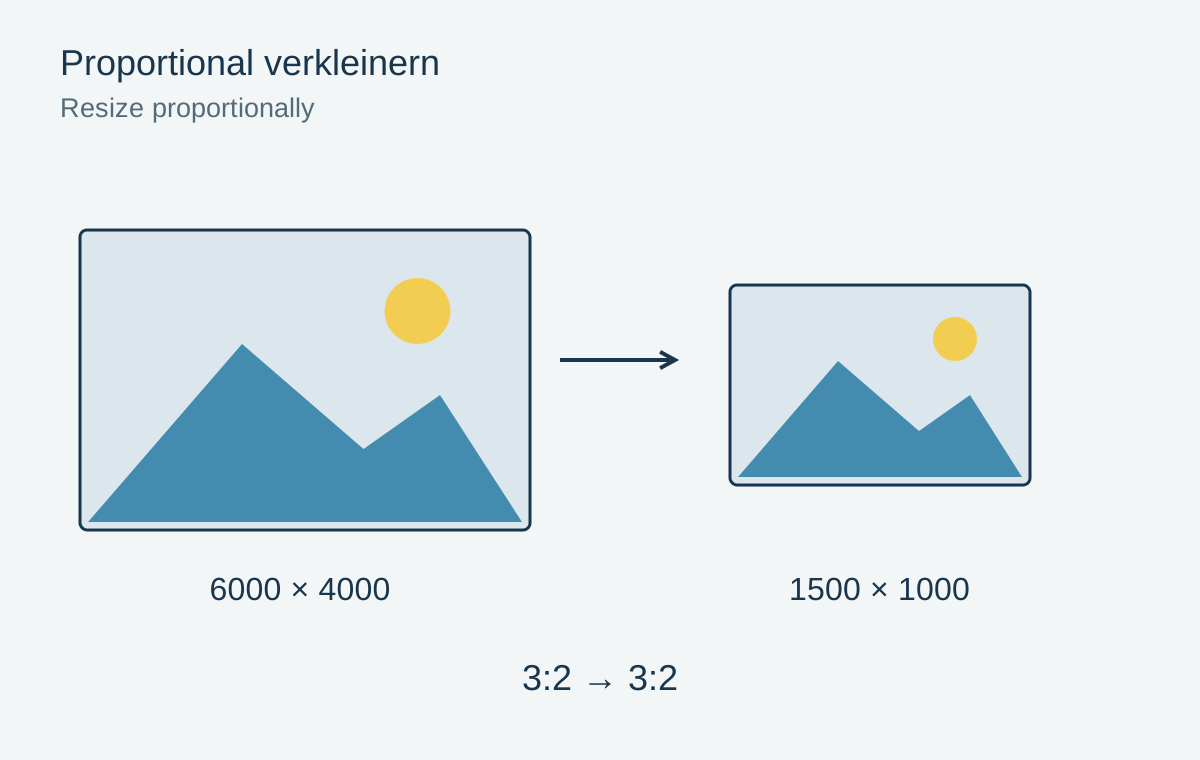
A 4000 × 3000 pixel photograph has a 4:3 aspect ratio. Changing it to 1200 × 800 pixels without cropping distorts it because the new ratio is 3:2. Faces become wider or narrower and round plates turn oval. Correct resizing preserves the ratio or explicitly decides which image area to remove or add.
Link width and height
Enable the link between dimensions in the image-size control. Enter only one target side. A 4000 × 3000 image automatically becomes 1200 × 900 pixels when its width is set to 1200. Check the chain icon or equivalent proportion option each time, especially when switching applications.
Dimensions in centimetres describe a print size and are not equivalent to pixel dimensions without a resolution value. For a website, the required pixels matter first. A 300 ppi label does not make a 1200-pixel image larger or more detailed on screen.
Fit a fixed format
If the result must be exactly 1200 × 800 pixels, there are two basic undistorted options. Crop the photograph to the ratio and then resize it, or fit the whole picture inside and leave borders on the remaining sides. Choose according to whether edge content may be lost.
For a group photograph, an extra border is often preferable to cutting off a person. A deliberate crop may suit a decorative website card. Check the composition on small screens: an automatically centred crop may lose important details there.
Resample once from a good source
Create each required size from the high-quality source. Do not first shrink a copy heavily and later enlarge that same copy again. Information removed during downsizing is no longer available.
Increasing the canvas is also different from enlarging the photograph. It creates space around the existing image for a caption or mat-like border, without automatically changing its detail. Check whether the tool is scaling image pixels or simply extending the outer frame.
After resampling, inspect fine lines and lettering. Moderate output sharpening may help, but should not create obvious fringes. Save with a clear name identifying size or purpose. Reopen the finished file and check both actual pixel dimensions and recognizable circular shapes.