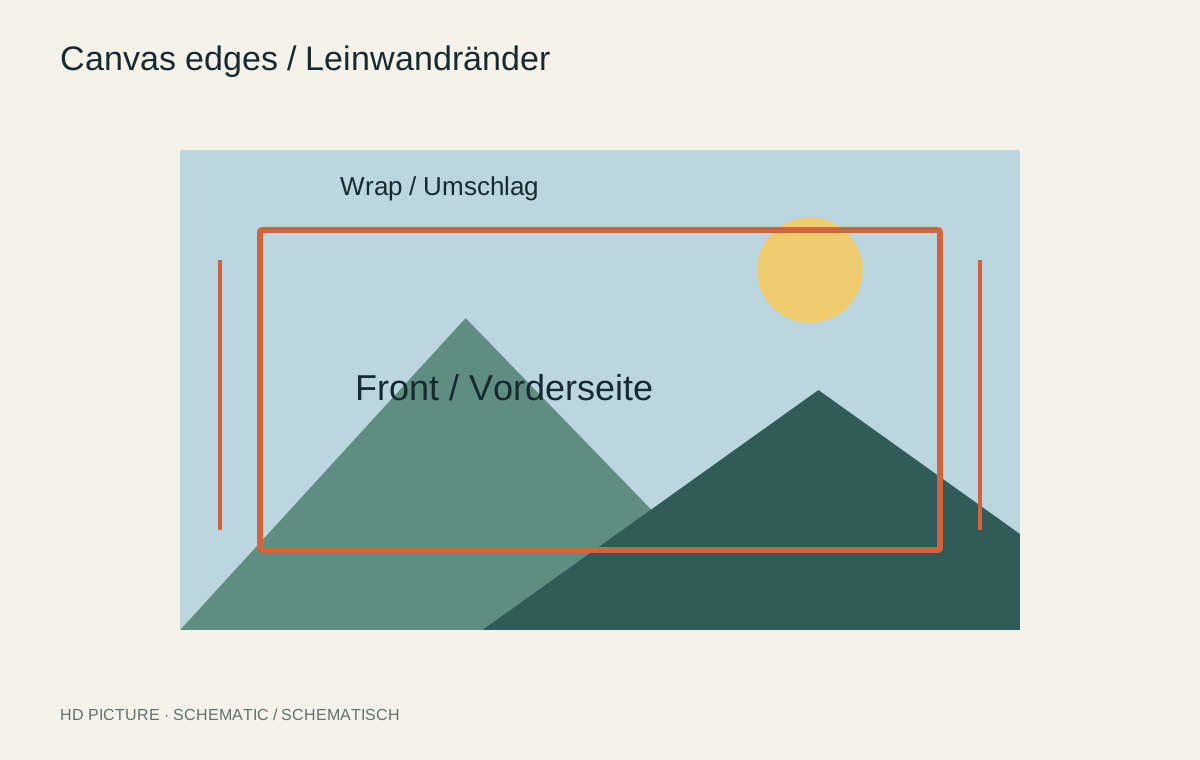
Canvas material wraps around the sides of its stretcher frame. Content printed there is not fully visible from the front. A face close to the image edge may therefore disappear onto a side. Edge treatment belongs to composition and should be checked in the dimensional preview before ordering.
Image wrap or mirrored edge
An image wrap carries part of the existing photograph around the sides. It requires sufficient nonessential image area. Sky or a quiet wall may work; hands, lettering and faces are riskier. Required allowance depends on frame construction and is not identical across products.
A mirrored edge creates the sides by reflecting the outer image regions. More of the original composition can remain on the front, but trees, faces or lettering may visibly double at the transition. Inspect every side rather than only the front thumbnail.
Account for depth and viewing angle
A deeper stretcher shows more side area and needs corresponding production allowance. In a passage, the sides are seen more often than on a wall approached directly. Consider whether the chosen edge treatment remains coherent from that angle.
Not every provider offers a solid-colour edge. WhiteWall, for example, describes image wraps and mirrored edges for its canvases and notes production tolerances. Read the selected service’s options rather than treating a thin line drawn into the file as a guaranteed exact front boundary.
Make a scale check
Mark the expected front and side regions in a copy of the file. Check that important elements remain comfortably inside the front. A signature needs extra clearance and should not sit exactly on a planned fold.
Keep a master without canvas allowances. A later paper print may need another crop. Before approval, check external dimensions, frame depth, edge option and hanging system together. If the preview shows a troublesome cut, change the image or format rather than hoping the material happens to be stretched favourably.