Two cameras photograph the same event, yet the archive displays their pictures in the wrong order. Their clocks or time-zone settings often differ. A copied image may also receive a new file date. Before correcting timestamps in bulk, establish which field is wrong and which offset applies to each group of photographs.
Find a reliable reference event
Find a subject both cameras captured at almost the same instant. A recognizable moment, such as cutting a cake, is more useful than two arbitrary views of the same room. Compare the recorded capture times and note the difference. One camera may be a whole hour out, but it can also differ by a few minutes or seconds.
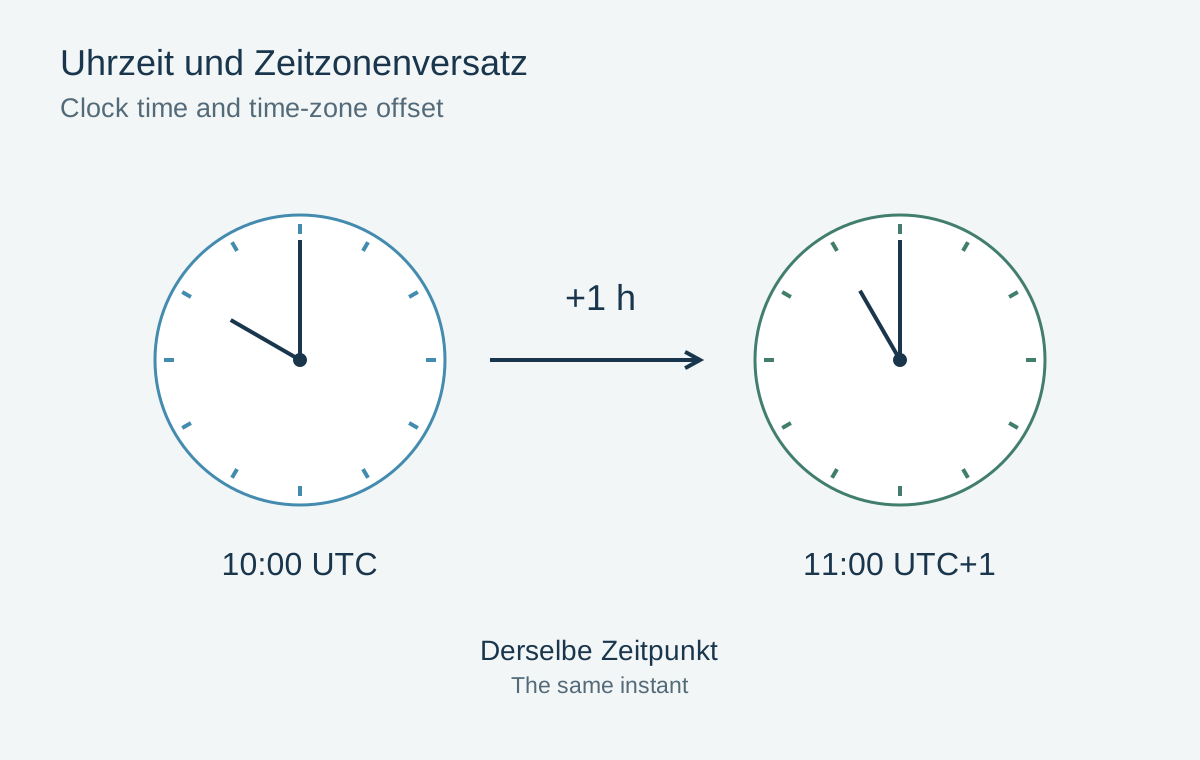
Do not rely solely on the time the operating system says a file was created. Copying, downloading and exporting can change those values. In the photo manager, examine the original capture-time field and take account of any displayed time zone.
Not every file contains an unambiguous time-zone offset. Without that information, a clock reading alone does not identify a unique instant worldwide. Record whether you are reconstructing local time or correcting a known difference between two devices.
Shift only a coherent group
Filter by the affected camera and the relevant period. Pictures before and after a trip or a manual clock correction may need different offsets. Changing an entire year indiscriminately would damage correct timestamps.
Back up the catalog and files before making changes. Test the correction on a few copies first and check both ends of the group. A relative time shift should preserve the intervals between exposures. A function that assigns the same timestamp to every file solves a different problem.
Then inspect a combined chronological view from both cameras. Individual outliers may come from another device, from exported files lacking original metadata or from a second clock adjustment. Record the applied offset in a short archive note. For scans, documenting an estimated period is often more honest than inventing an exact capture date.