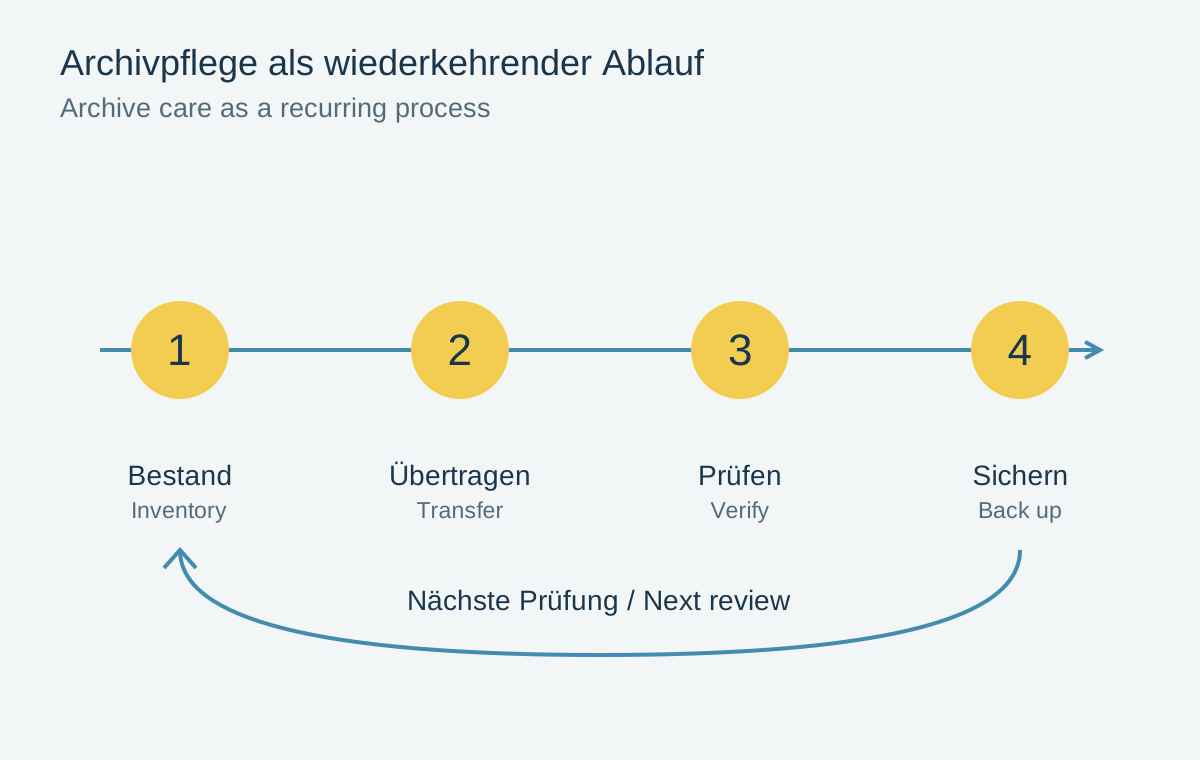
A photo archive is not permanently protected simply because it fits on a new drive today. Storage devices, connections, applications and file formats change. A migration plan describes how to inspect the collection and, when necessary, transfer it into an environment that remains usable. It starts with an inventory and ends only after the new copy has been checked and independently backed up.
Make the next review predictable
Set a recurring review date that suits the archive. Check more than whether the drive powers on. Open different file types, test a restoration and confirm that the required software still works on the current computer. An annual appointment can be an organizational aid, but it is not a guarantee of any storage device's lifespan.
Record components needing particular attention: an old connector, an application available on only one computer or an uncommon RAW format. A transition is usually easier to test while the former environment still works than after it fails.
Also consider who should be able to understand the archive. A short document explaining folder organization, software requirements and the route to backups helps a future handover. Keep credentials in suitable secure storage rather than placing them unprotected beside publicly shared photographs.
Assess storage media and file formats separately
Moving to a new drive does not automatically require converting every photograph. An unchanged file copy preserves the source material and can be compared using checksums. Format conversion is a separate decision because it can alter metadata, editability or image data.
If a format becomes problematic, test a small and varied sample. Compare pixel dimensions, color, transparency, metadata and the ability to continue necessary edits. A format suitable for a finished photograph does not necessarily preserve layers or RAW development options.
Where possible, retain original files alongside a more accessible output. Identify the new version so that its source and purpose remain clear. Conversion should not become an invisible replacement whose consequences emerge years later.
Finish the transfer with a verifiable record
Before copying, create an inventory containing relative paths, sizes and checksums. Compare it with the destination afterwards. Document deliberately converted files separately: their checksums must change and can no longer directly prove equality with the originals.
Also open a selection at the new location. Checksums demonstrate identical bytes, but do not establish whether a suitable application is available. Test both integrity and practical usability. For libraries, include collections and edits in this inspection.
Retire the old drive from daily use only after testing the new environment and its backup. Keep a migration note with the date, source, destination and verification result. During the next move it provides a traceable history instead of leaving you to guess every storage location again.
A small trial before a large migration
Assemble a test package from different years and workflows: an early JPEG, a current RAW with companions, a scan and a finished designed project. This selection is more informative than a hundred similar photographs from one import. It includes different technical dependencies that the migration should reveal.
Define success in advance. Matching checksums are one criterion for an unchanged copy. An editable project also requires its relevant settings to remain usable. For a newly rendered output, inspect the intended appearance and record that it is an output rather than an identical original. Different goals need different checks.
Then estimate time and free storage from the trial. Include the period during which both environments remain available. A nearly full destination drive or an old computer needed immediately for something else creates pressure to skip intermediate checks. If the small trial already reveals unclear file associations, resolve them before the complete transfer. The migration note can remain simple: understandable paths and specific results are more valuable than an elaborate document without verified files.