A phone can show bright windows and dark interiors in one finished file by combining information from several captures. If a hand, face or branch moves between those captures, the frames do not match everywhere. Processing attempts to compensate, but it does not produce an unobtrusive result in every situation.
Distinguish ghosting from ordinary blur
Ordinary motion blur often stretches an outline along the direction of movement. A problematic multi-frame merge can instead create displaced partial outlines, translucent fragments or unnaturally assembled details. Both effects can occur together. A quick look at the small preview is rarely enough to distinguish them.
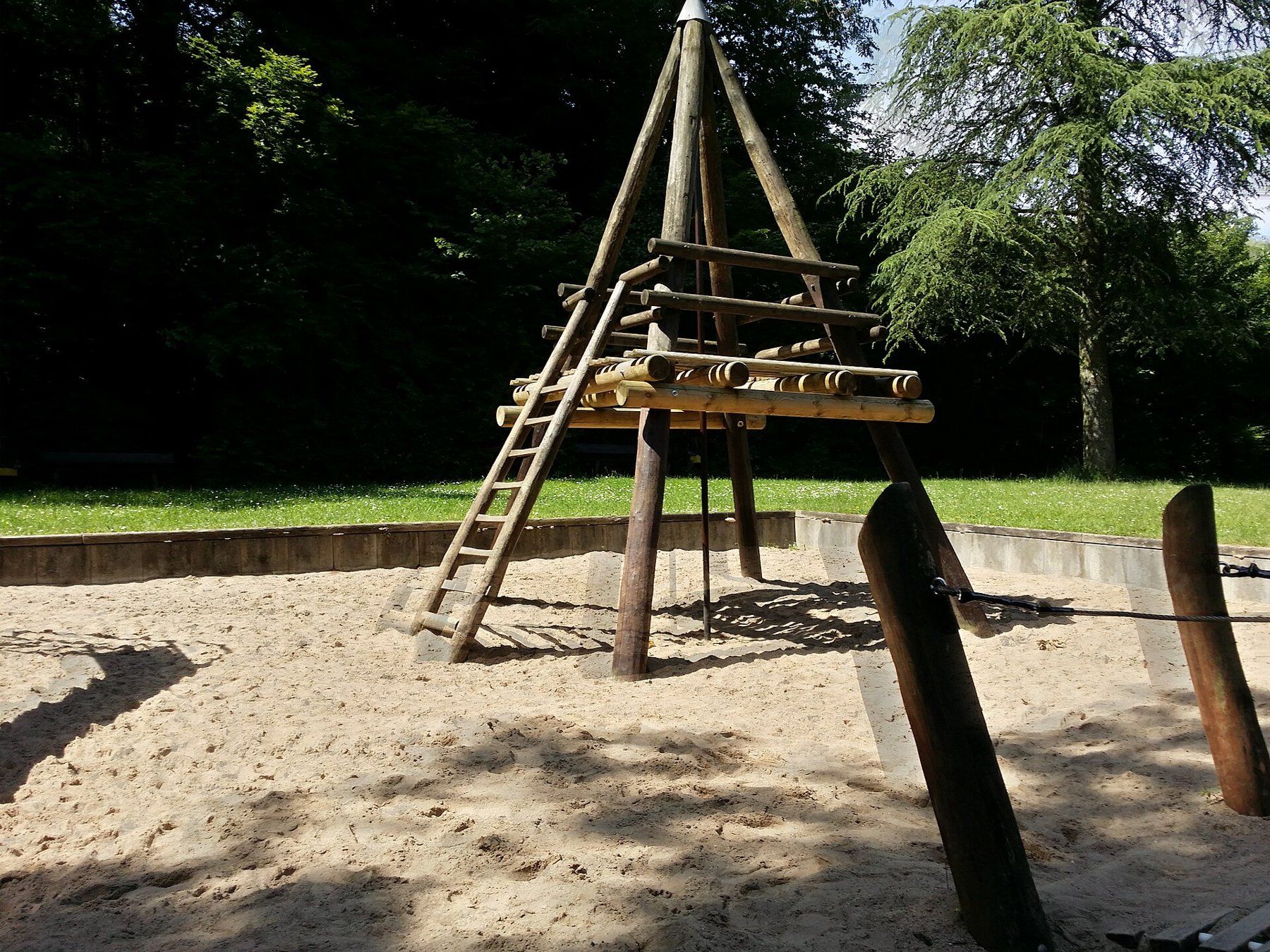
Enlarge the places where movement occurred: fingers, hair, leaves or someone on a swing. Compare them with a stationary background edge. If only the moving area looks strange, the entire camera need not have shaken. The playground example illustrates why even small moving elements matter in an otherwise quiet scene.
Simplify the capture conditions
If appropriate for the subject, wait for a quieter moment. A short pause between gestures may be enough for a portrait. With wind or moving water, a completely unchanged scene is unrealistic. Choose a photograph with believable movement rather than judging only how much shadow detail it reveals.
More light can permit shorter individual exposures. Turn a person toward a window or change position to reduce the brightness difference between subject and background. A tripod steadies the phone, but it cannot stop leaves or children. It may reduce camera shake without completely solving moving-subject problems.
HDR controls differ between phones
Whether automatic HDR processing can be disabled depends on the model, app and version. Apple documents manual control only for certain iPhone models. Do not transfer an instruction blindly to another device. Turning off an HDR video option does not necessarily change ordinary still photographs either.
If your camera provides an appropriate control, make two photographs for comparison. Inspect moving areas as well as bright surfaces. Without HDR, highlights may clip sooner or shadows may remain darker. Choose the compromise that suits the particular scene. For important subjects, keep several separate attempts until you can inspect the complete files.